
Credentials & routes
A server needs credentials to send and routes to receive. Credentials are the keys your application authenticates with; routes decide what happens to inbound mail. Both live on the server and are managed in the dashboard and over the admin API.
Credentials
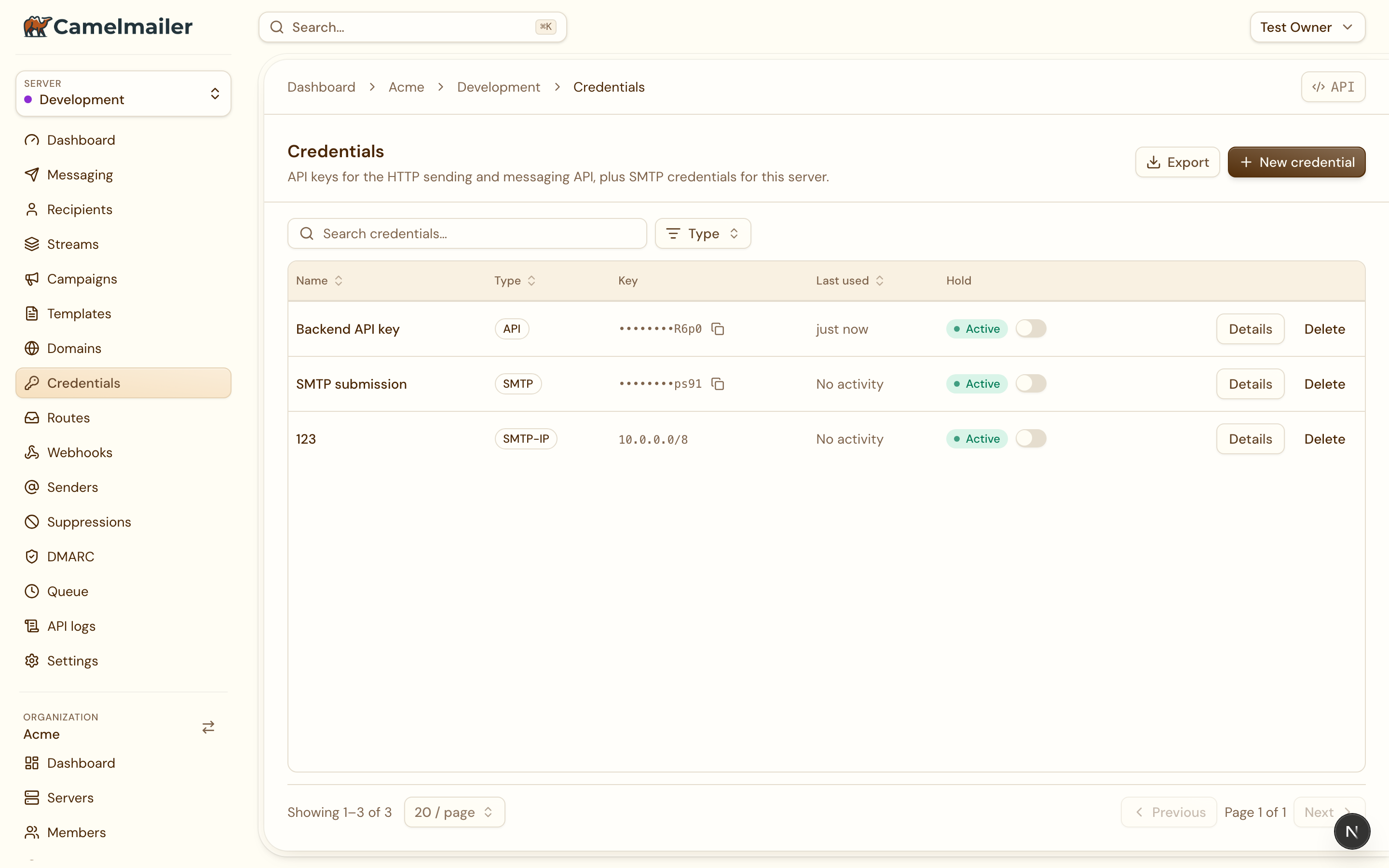
A credential is a key scoped to one mail server. It comes in two types, and which one you create depends on how you send:
| Type | Used for | How it authenticates |
|---|---|---|
API | The Server API and the SDKs. | Passed in the X-Server-API-Key header on /api/v2/server/… calls. |
SMTP | SMTP submission from any mail library. | The credential’s key is the SMTP password on the submission port. |
Create a credential on the server through the management API. The response carries the key exactly once, in data.credential.key:
curl -s -X POST \
  "$API/api/v2/admin/organizations/acme/servers/production/credentials" \
  -H "X-Admin-API-Key: $ADMIN_KEY" -H "Content-Type: application/json" \
  -d '{"type": "API", "name": "Production backend"}'
The details lightbox
In the dashboard under Server → Credentials, each credential is a row. Clicking one opens a details lightbox rather than a separate page: for an API credential it shows the key, and for an SMTP credential it shows the key alongside the SMTP host, port and username to plug into your mail library. The explainer for which key does what lives in the New credential dialog, so the picture is in front of you at the moment you choose a type.
Routes
A route decides what happens to each message a server receives: hand it to an HTTP endpoint, keep it on the server for inspection, or ingest it internally for DMARC reports. The full routing model, the five modes, and how mail is matched at RCPT TO are covered in Inbound routing. This section is about managing routes in the dashboard.
A server’s Routes tab lists each route with its local part, its mode as a badge, and its endpoint, filterable by mode. The management API mirrors it:
| Method and path | Action |
|---|---|
GET …/routes | List the server’s routes |
POST …/routes | Create a route |
GET …/routes/{id} | Show one route |
PATCH …/routes/{id} | Update name and mode |
DELETE …/routes/{id} | Delete a route |
What is editable
Routes are editable, within limits that keep existing addresses stable. The edit dialog lets you change:
namethe local part the route answers to, andmodewhat happens to matched mail.
The domain and the endpoint_url are fixed once the route exists, so the edit dialog shows them read-only. To point a route at a different endpoint or move it to another domain, delete it and create a new one. When you create a route the API reads the domain by its name, in the domain field, and the endpoint URL must be an HTTP(S) URL or exactly internal://dmarc-reports.
# Rename a route and switch it to Hold, leaving domain and endpoint intact
curl -s -X PATCH \
  "$API/api/v2/admin/organizations/acme/servers/production/routes/7" \
  -H "X-Admin-API-Key: $ADMIN_KEY" -H "Content-Type: application/json" \
  -d '{"name": "replies", "mode": "Hold"}'