
Message streams
A message stream groups one class of mail together, so receipts, newsletters and inbound replies each get their own reputation, rules and reporting.
What a stream is
A stream is a flat label on a mail server: password resets and receipts in one stream, your newsletter in another, replies in a third. Every message a server sends or receives belongs to exactly one stream, and the stream decides how that mail is treated: which reputation (IP pool) it sends from, whether marketing rules apply, and how it shows up in reporting.
Streams are plain labels with no hierarchy. They live per mail server, and every server starts with one built-in stream ready to use: name Default Transactional Stream, permalink outbound, type transactional. Mail sent without naming a stream lands there.
The three stream types
A stream's stream_type is fixed to one of three values, set when you create it:
| Type | Purpose | Behavior |
|---|---|---|
transactional | Outbound one-to-one mail a person is waiting on: password resets, receipts, verification codes, alerts. | The default and the safe choice. Sends straight through with no marketing additions. |
broadcast | Outbound one-to-many marketing mail: newsletters, announcements, campaigns. | Turns on the marketing pipeline: one-click unsubscribe, CAN-SPAM footer, opt-in checks and stream-scoped suppressions. |
inbound | Mail that arrives at the server rather than mail you send. | Groups replies and forwards so you process them apart from your outbound traffic. |
The type shapes behavior on send. A broadcast stream runs the marketing pipeline described below; transactional and inbound streams send or receive without it.
Permalink and name
Each stream carries two identifiers with distinct jobs.
permalinkis the stable, machine-facing identifier. It is unique per server and is what you pass in thestreamfield when sending. Create a stream without a permalink and one is derived from the name: lower-cased, with every non-alphanumeric run collapsed to a single hyphen (soProduct Updatesbecomesproduct-updates). The permalink is immutable. The dashboard shows it as a disabled field and the update API has no way to change it, because everything that sends to the stream references it.nameis the human label shown in the dashboard. Rename a stream whenever you like and everything that sends to it keeps working.
Per-stream IP pool
A stream can source its outbound mail from a specific IP pool via ip_pool_id. This keeps reputations apart: send your newsletter from one set of IPs and your receipts from another, so a marketing complaint spike stays clear of your password-reset deliverability.
At delivery the worker resolves the sending pool in this order:
- the stream's pool, when it has one set,
- then the server's pool,
- then default routing.
So a stream with no pool of its own inherits the server's, and a server with no pool falls through to default routing. Remove a pool and any stream that pointed at it detaches and falls back to the server pool; the stream itself stays put.
In the dashboard the resolved pool appears in the stream header (shown as Server default pool when the stream has none), and you set it in the Edit dialog. Give broadcast streams a dedicated pool of their own. See Deliverability & IP pools for how pools and addresses are configured.
Archiving
Set a stream to archived to retire it from day-to-day use. An archived stream still exists and its historical messages stay readable, and it is flagged Archived in the dashboard. It stops being a send target: an explicit send to an archived stream returns 422 ValidationError. Archiving is reversible; flip the status back to Active in the Edit dialog, or PATCH the stream with { "archived": false }.
Selecting a stream on send
When you send through POST /api/v2/server/messages (or the with_template variant), the optional stream field names the target stream by permalink:
curl -s -X POST "$API/api/v2/server/messages" \
  -H "X-Server-API-Key: $SERVER_KEY" -H "Content-Type: application/json" \
  -d '{
    "from": "news@acme.example",
    "to": ["subscriber@example.com"],
    "subject": "March newsletter",
    "html_body": "<p>Hello there.</p>",
    "stream": "newsletter"
  }'
Omit streamand the message uses the server's default stream. Name a stream that does not exist, or one that is archived, and the send returns 422 ValidationError. The full send API, including templates and attachments, is covered in Sending email.
Broadcast streams enforce marketing rules
Sending on a broadcast stream turns on the marketing pipeline, so this class of mail carries the consent and compliance machinery that mailbox providers and regulators expect:
- List-Unsubscribe. Each broadcast message is built per recipient with a one-click RFC 8058
List-Unsubscribeheader, so every opt-out link is unique to that recipient and stream. - CAN-SPAM footer.A footer with an unsubscribe link and the server's postal address is appended. The postal address is a server setting that broadcast sends need configured.
- Opt-in subscribers. A broadcast stream sends only to addresses that have opted in. The send checks every recipient and names the first address that has not subscribed if it has to reject the request.
- Stream-scoped suppressions.An unsubscribe suppresses the recipient on that stream alone, so a newsletter opt-out leaves the same person's transactional mail flowing. Hard bounces and manual suppressions stay server-wide.
The full workflow, subscribers, campaigns and the footer address live in Broadcast streams, and the suppression model in Suppressions.
The stream in the dashboard
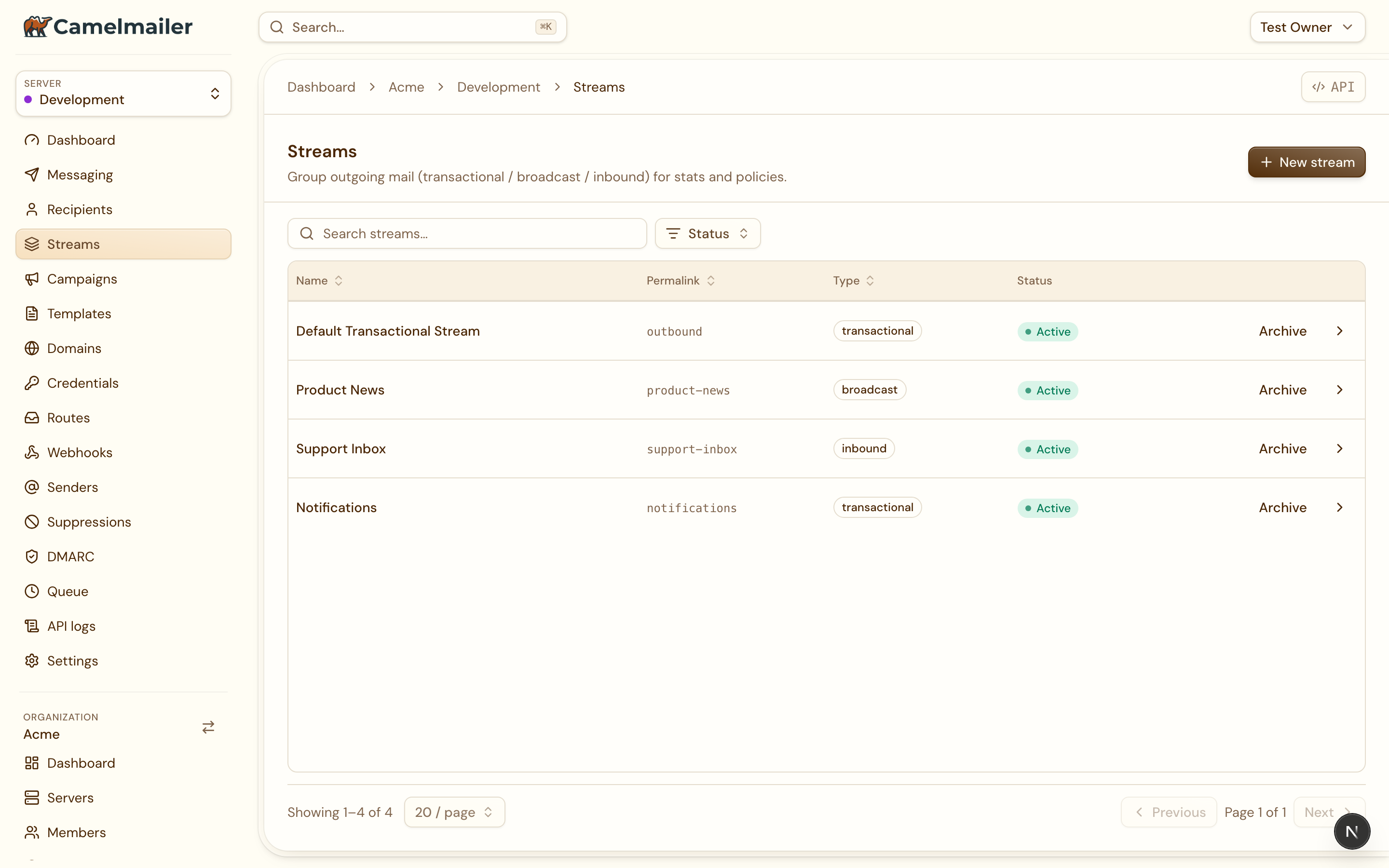
Under Server → Streams, each stream is a row you open onto its own detail view. The list shows the stream name, its type, its resolved IP pool and its status at a glance.
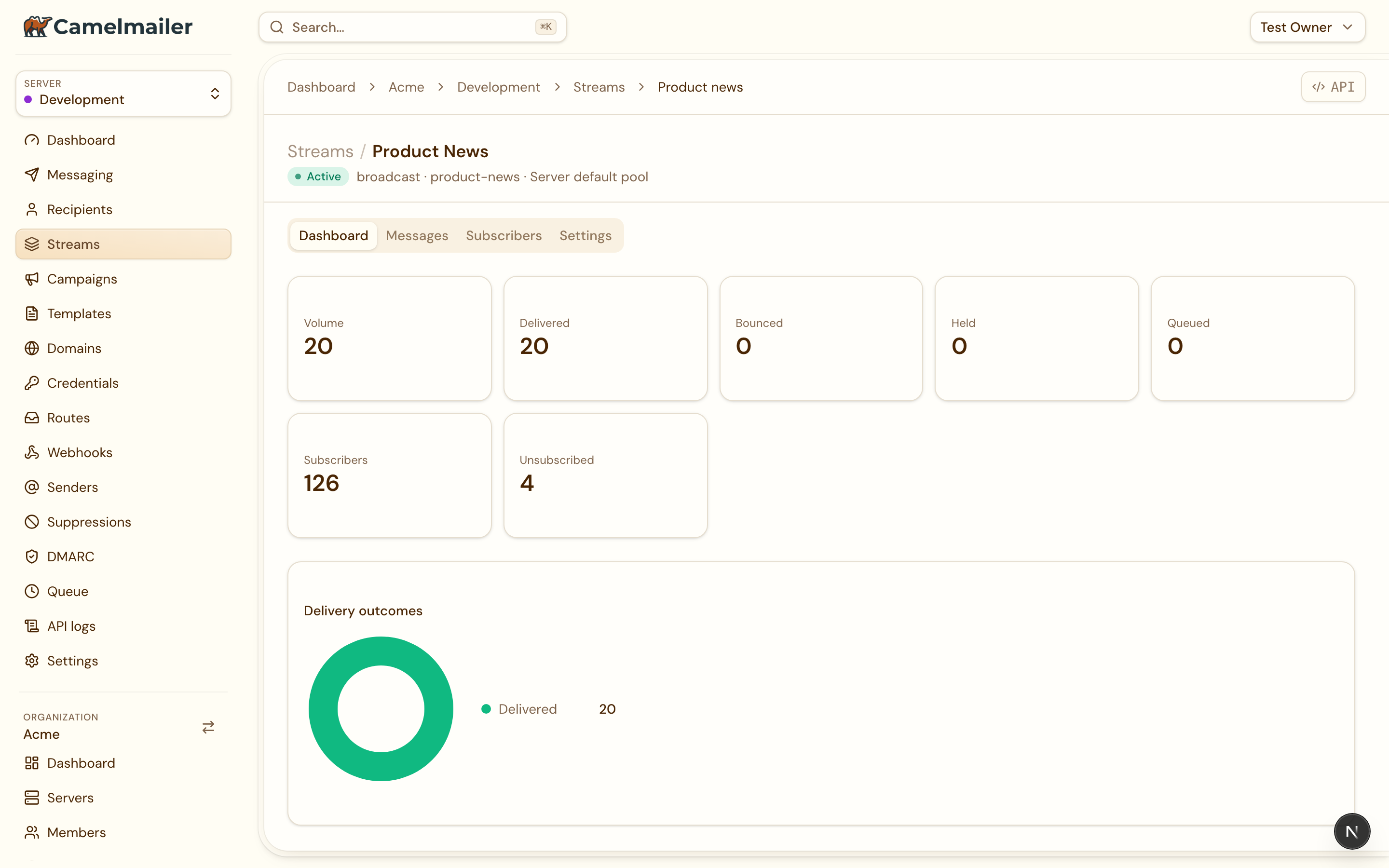
The detail view is tabbed, and the tab is deep-linked with ?tab= so you can share a link straight to a subview:
- Dashboard shows per-stream counter tiles, a delivery donut, and the stream’s recent campaigns.
- Messages lists the mail on the stream, filtered by
?stream=.
A broadcast stream carries two more tabs, for the marketing machinery it needs:
- Subscribers lets you add an address by hand or import a CSV, with a template to download first. See Import & export for that flow.
- Settings holds the stream config and the server’s broadcast postal address, the physical address the CAN-SPAM footer needs.
Inbound streams receive mail
An inbound stream is the receiving counterpart. It groups mail that arrives at the server so you can process replies and forwards apart from your outbound traffic. Routing incoming mail to endpoints is described in Inbound routing.